
Change Detection
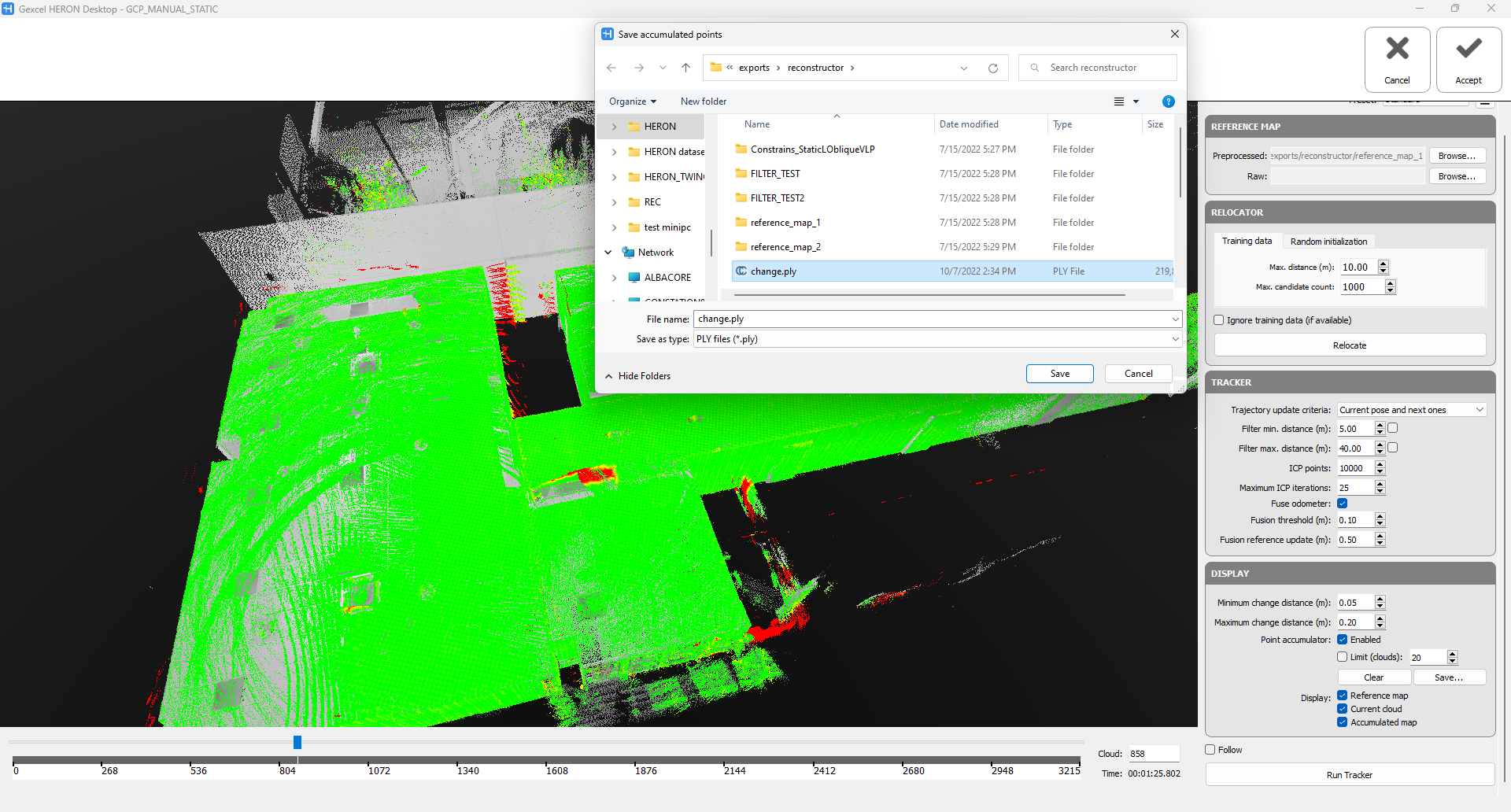
After the five steps explained in the Tracking and Change Detection Workflow, during the Run Tracker process it is possible to enable the Point Accumulator in the DISPLAY options.
In this way, all the clouds along the trajectory are merged together and colored according to changed and unchanged regions.
It is possible to stop the Run tracker process at any time and press the Save button to export the change detection map produced until the selected step of the trajectory path.
You can now close the Mapper and go directly to Reconstructor®. In the HERON toolbox, use ➊ Changes map function to ➋ import the change detection map.
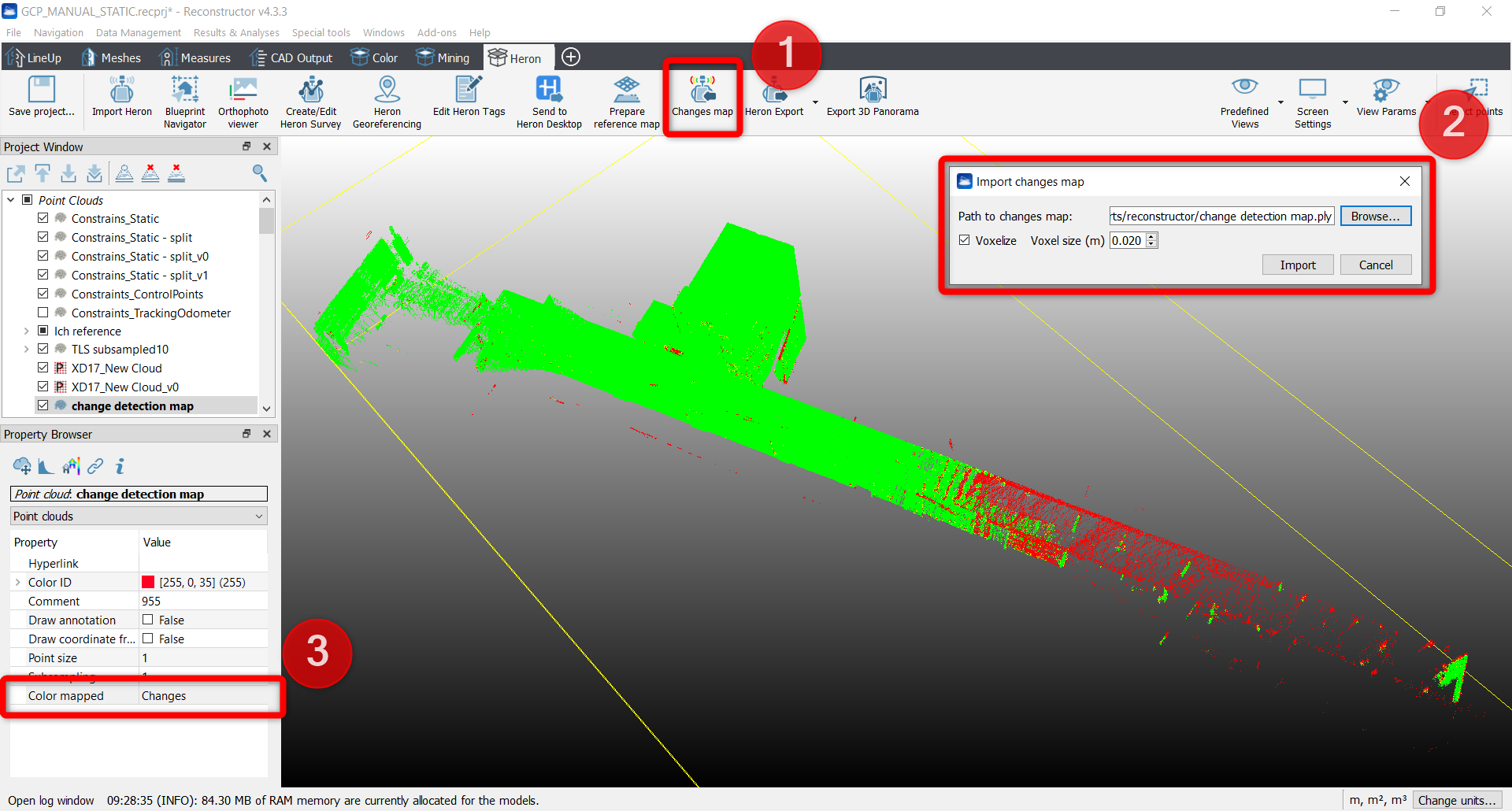
The imported point cloud provides a ➌ Changes color layer editable with the Color mapping tool.
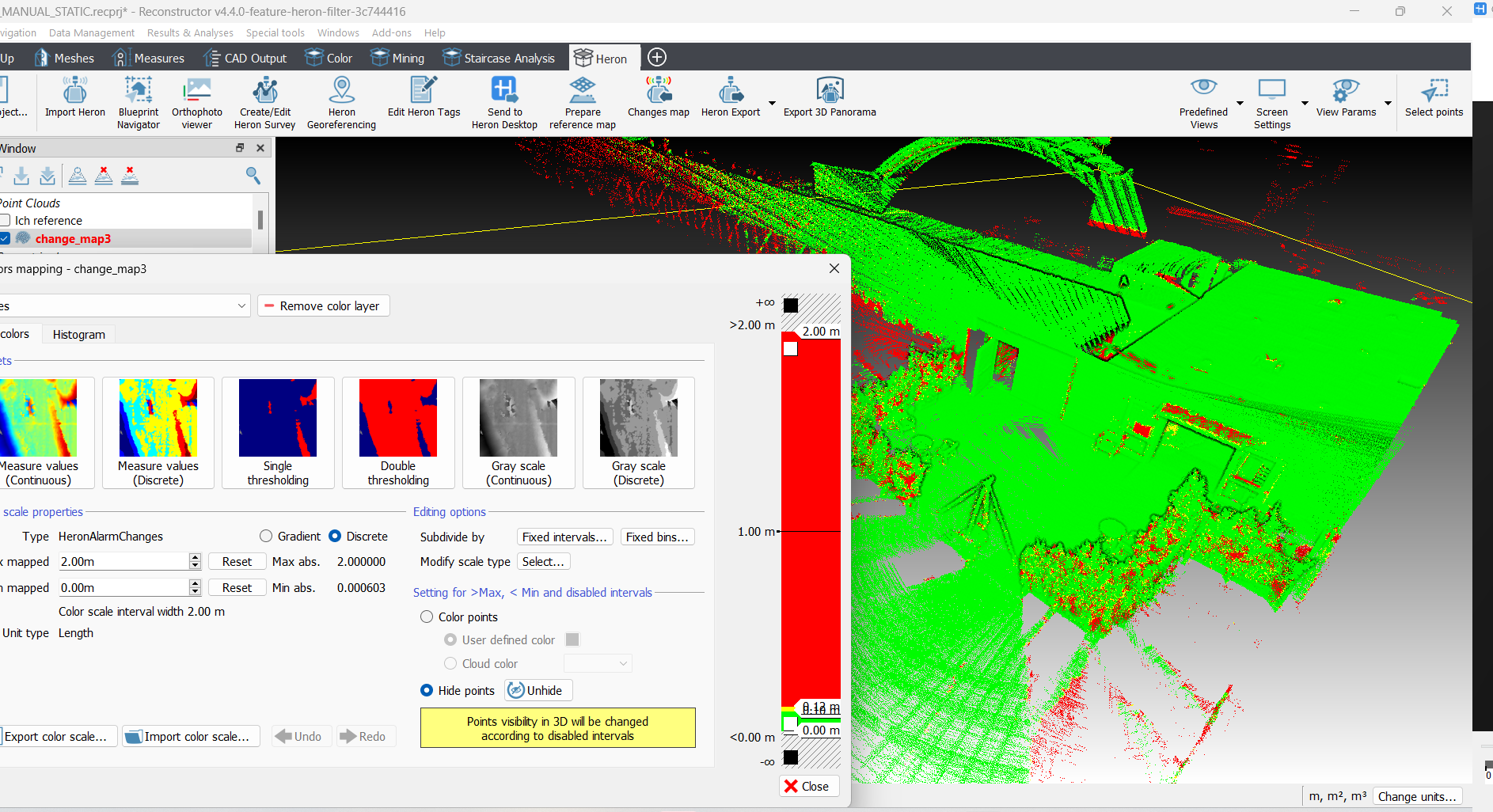
See more details about the process at Changes Map.