
Split a Trajectory and Remove an Unwanted Section
HERON® data imported into Project window can be split in chunks. The unwanted chunks can be removed from the original trajectory. The required steps are shown here below.
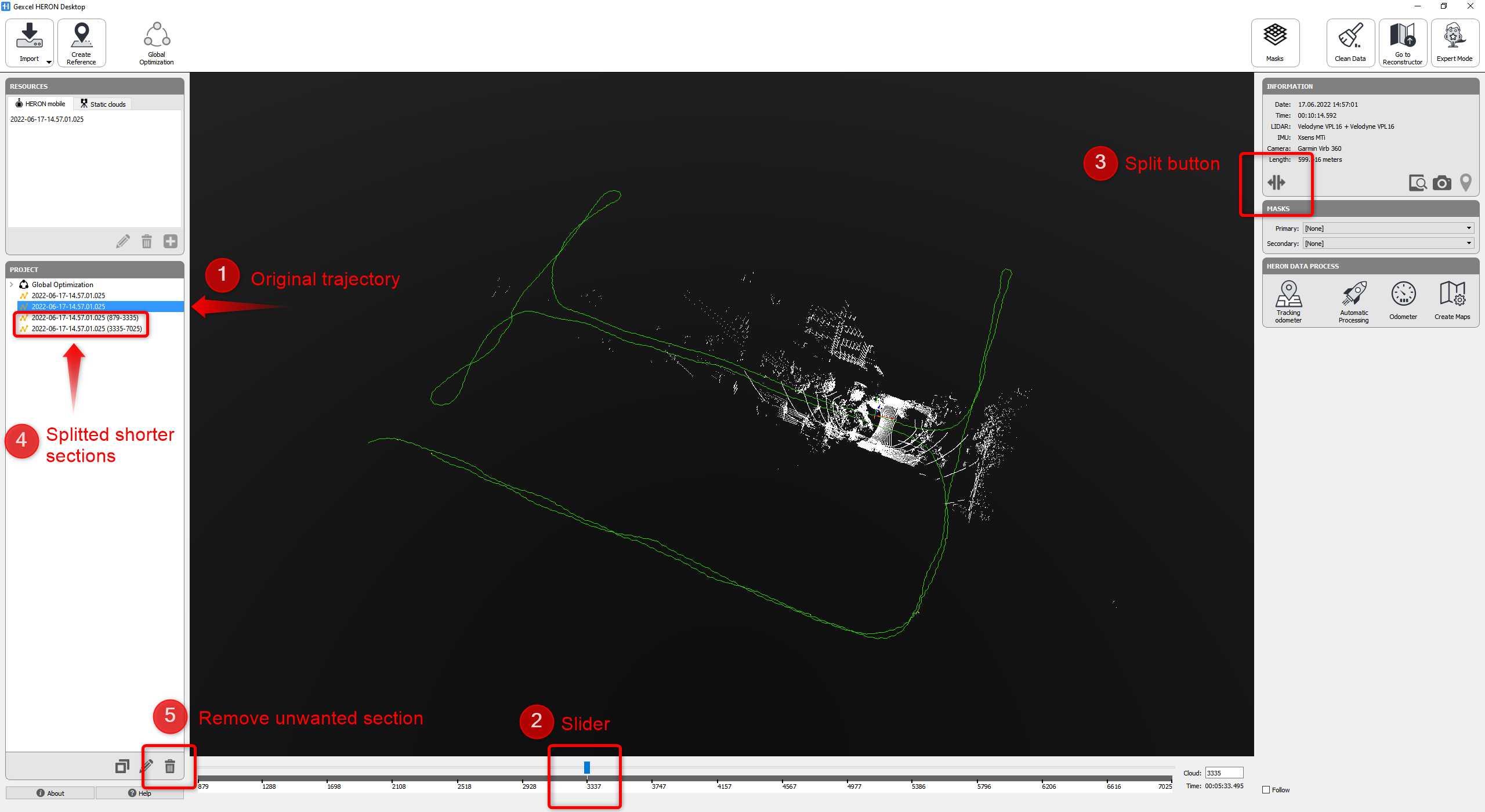
➊ Select a trajectory to be split
➋ Move the slider to cutting point
➌ Press the Split button
➍ Split trajectories are listed just below. The name indicates start/end cloud
➎ The unwanted chunks can be discharged by using the Delete button
Follow the step-by-step video tutorial to learn how to split Heron data and remove unwanted sections in the Mapper.