
Merge Two Trajectories in Global Optimization
Two or more trajectories can be merged (aligned together) using the Global Optimization tool. To access to it, the Create Maps process is required for each trajectory. Once a trajectory has passed through the Create Map step is marked in green  and it be used in Global Optimization
  .
.
There are 3 ways merge trajectories in new Global Optimizations as schematically shown here below:
|
|
|
|
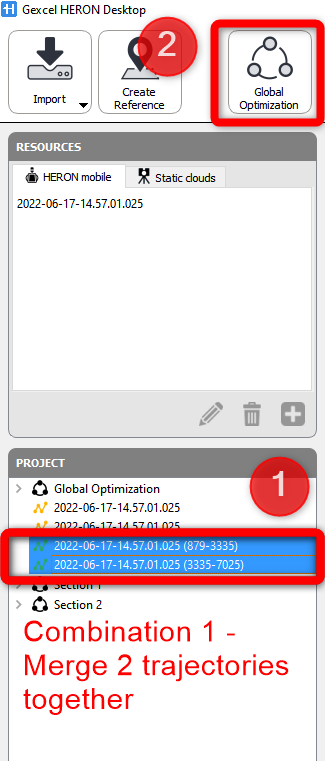
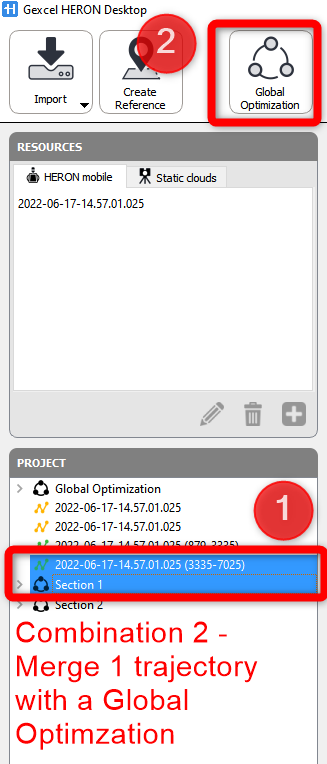
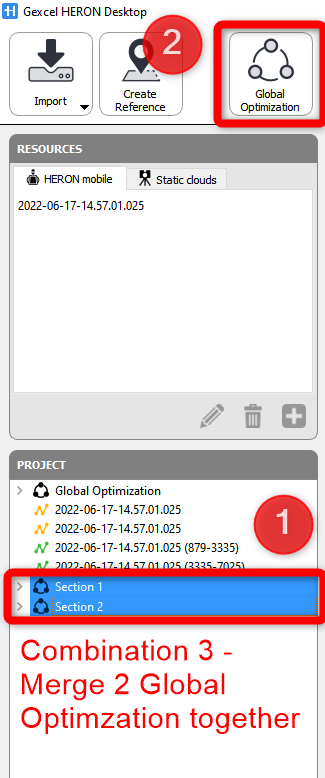
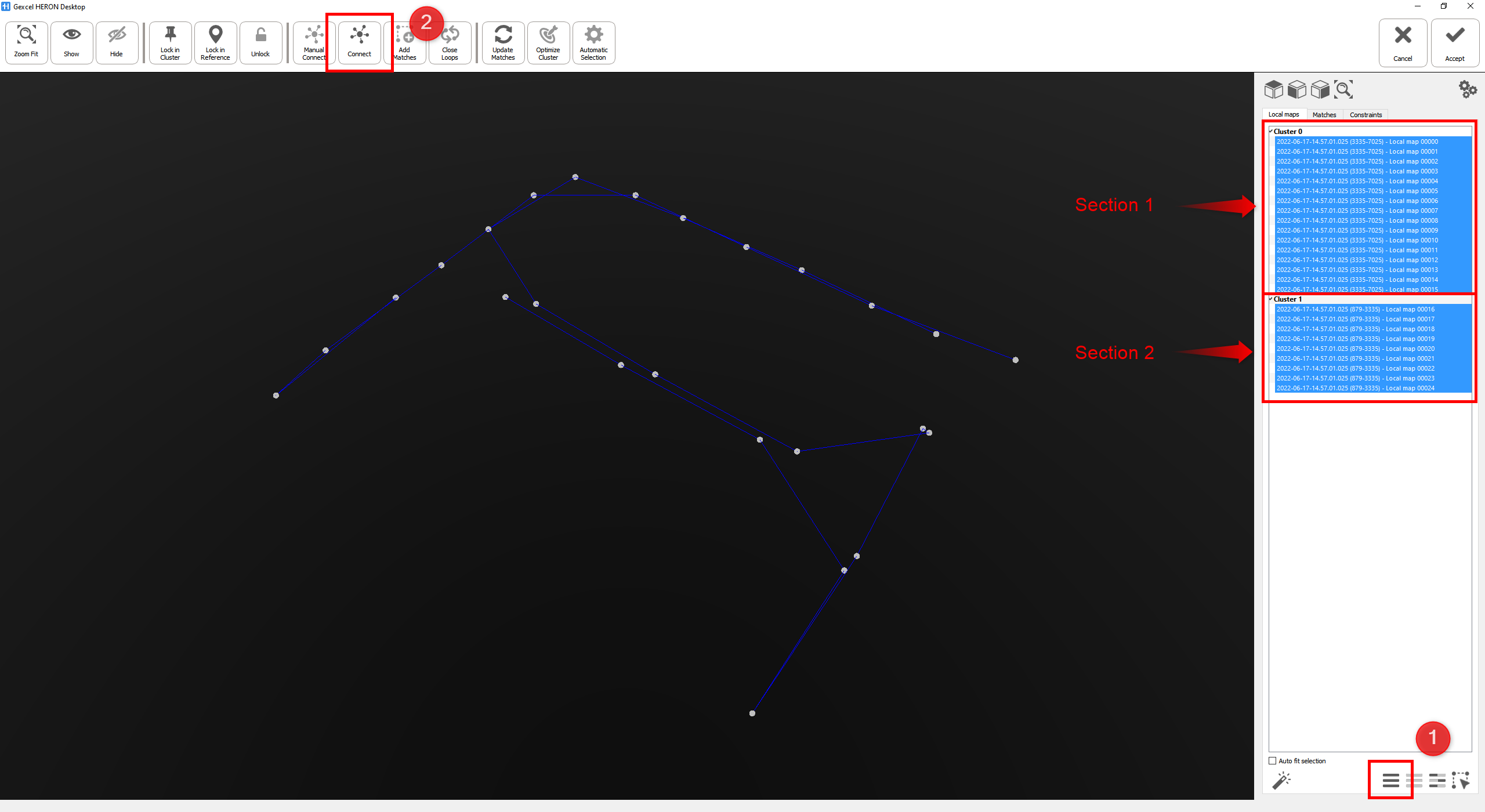
After selecting the 2 trajectories and going to Global Optimization workspace, each trajectory is organized in a Cluster which groups all the maps created with the Create Maps tool.
In the right window, click on the  Select all (Ctrl+ A), to selects the maps related to each trajectory, then click
  Connect button.
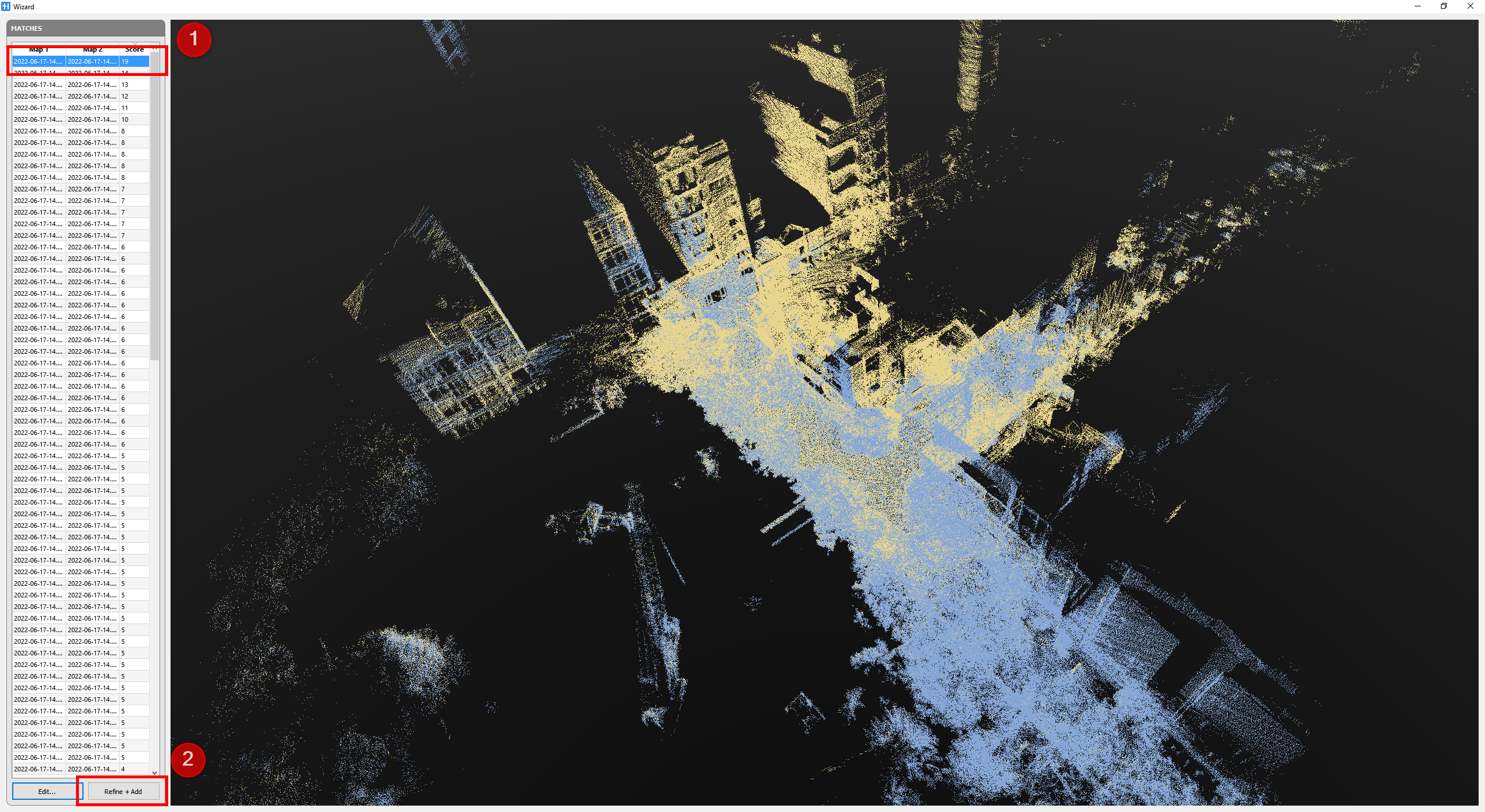
A new Wizard window displays a list of matches (connection from maps) for possible pairs of local maps related to the 2 (or more) trajectories with score for each match. Select the pair which has highest score and see if they are properly overlapped (pre aligned) each other. If the preregistration is fine click on Refine + Add button at the bottom left to refine the pre-registration and add a new connection between two or more cluser of maps.
To merge two clusters and aligned together 2 trajectories, one match is enough (more matches can be added later on).
Close the Wizard window to get back to Global Optimization workspace.
In the Local maps list on the right, the 2 (or more) clusters of maps related to each trajectory are now combined into only one single cluster; it means the merge is successful.
 Please note that merging two or more trajectories means to align them together. Out of each trajectory a single point cloud will be generated, merged trajectories will generate aligned point clouds.
Multiple point clouds can be merged into one using Reconstructor.
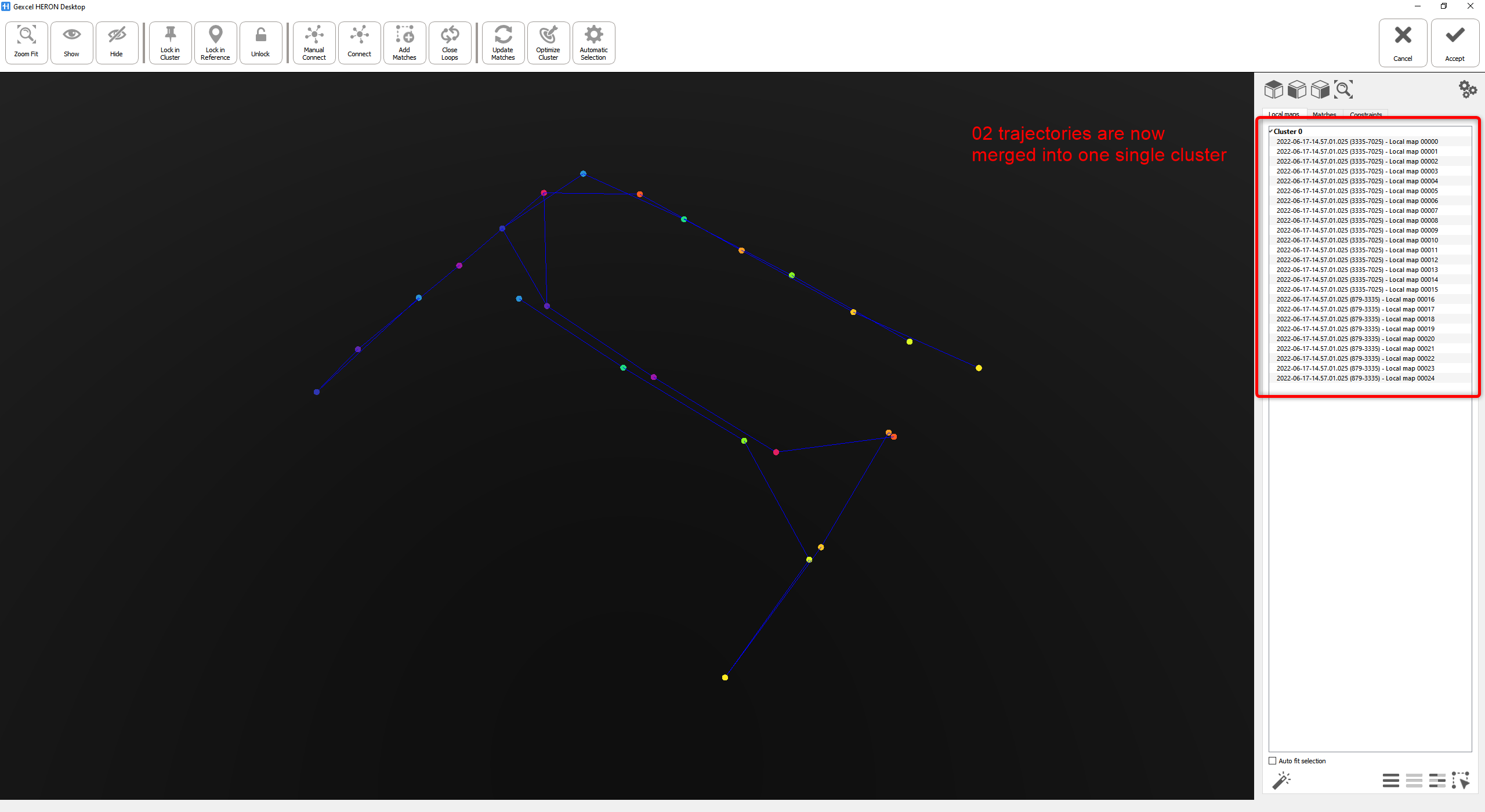
Once the all the clusters are merged in one all the step in Global Optimization to globally optimize the accuracy of the combined trajectory can be applied.
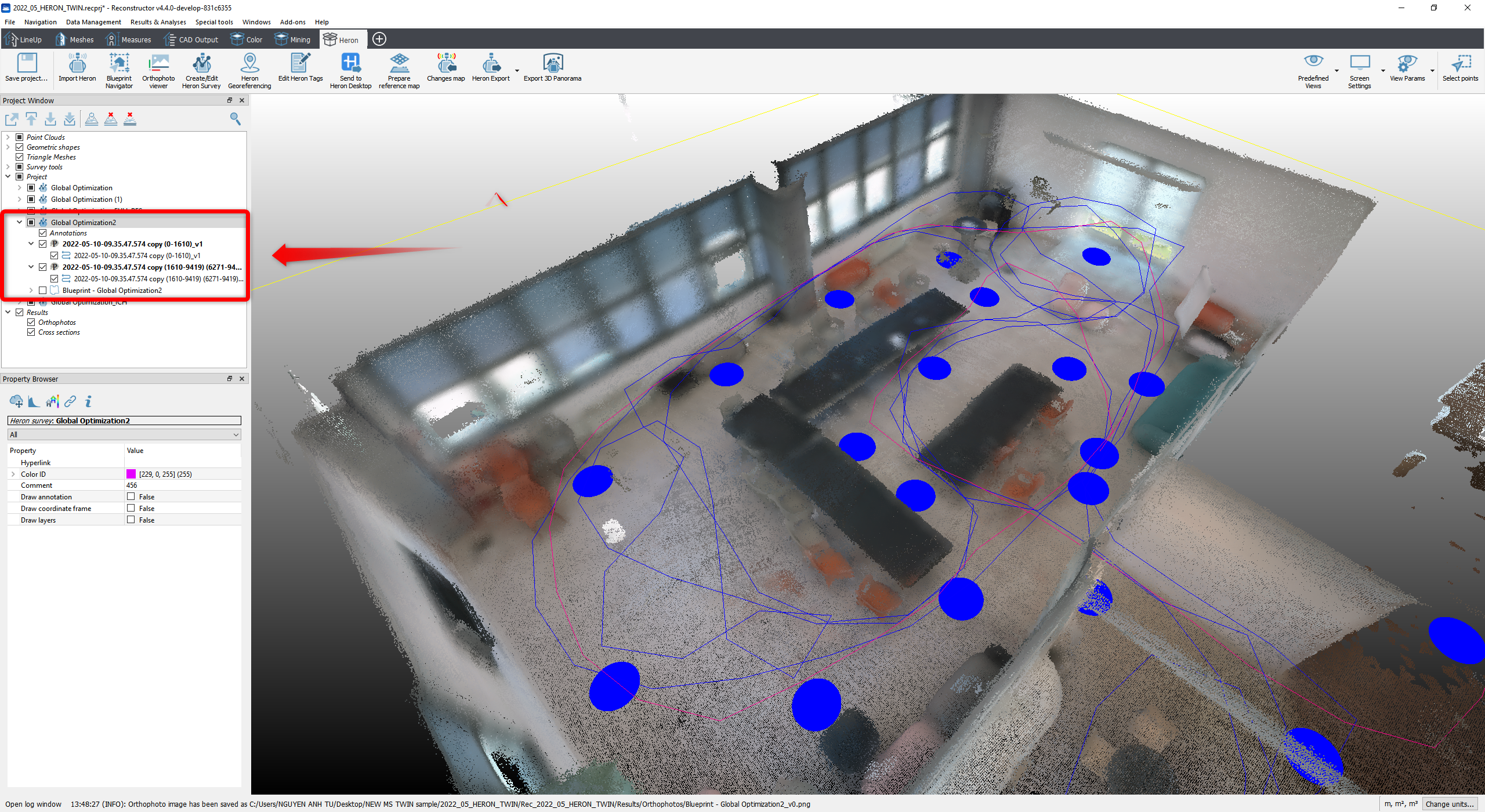
In Reconstructor®, the data are organized in the Project window with:
- 2 (or more) point clouds coming from 2 trajectories
- 2 (or more) trajectories
- A general Blueprint covering the area of the 2 (or more) points clouds
Follow the step-by-step video tutorial to learn how to merge two trajectories in the Mapper.