
Usage of Constraints Workflows
 These functions are available only if the Cloud Constraints add-on is licensed.
The final trajectory, generated following the 3 steps, i) odometer, ii) create maps, iii) global optimization, can be further optimized, improved and geo-referenced by introducing constraints during the global optimization phase.
The usage of Constraints can be implemented through 3 workflows which allow to use external data such as 3D point clouds, targets or control points to improve the quality of the final trajectory during the Global Optimization.
The usage of external constraints can results into
- Optimize and enhance the global accuracy of HERON data by minimizing residual drifts
- Geo-reference Heron® Survey with respect to the external reference system.
The usage of control points, targets or 3D point clouds act as constraints for the local maps created with the Create map tool.
The more points and/or or targets pertains to a local map, the more constrained the final trajectory will be. In that sense the local map size, created with the Create map tool, and number of control are correlated
The more geo-referenced 3D point clouds are distribute along the HERON survey, the more constrained the final trajectory will be.
.
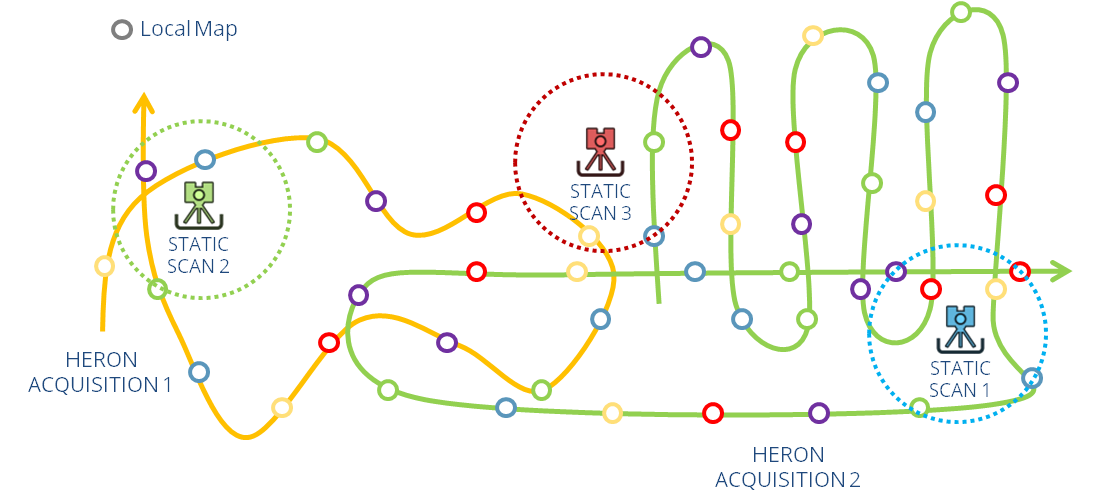
The three workflows above mentioned are detailed in the next:
- Pole Tags Control Points Workflow
- Manual Picking Control Points Workflow (using Targets)
- Static Cloud Workflow