
Static Clouds
 This function is only available if the Constraints add-on is licensed.
External point clouds (here named statics clouds) must be processed by Reconstructor® before to be imported in Heron® Desktop.
See Reconstructor > Send To Heron Desktop for more information about this process.
|
|
At the end of the Reconstructor® process a list of static clouds is (automatically) displayed in the Resources/Static clouds tab. |
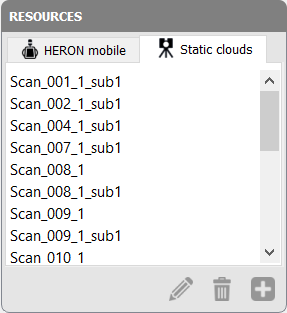
The following options are displayed in the lower part of the tab:
|
|
Rename To rename the selected item in the list. |
|
|
Delete To remove the selected items from the list. |
|
|
Add to project (for static clouds) To add one or more selected static clouds in the PROJECT section. |


When a reference cloud (static scan) is selected, the cloud is displayed in the main 3D window (subsampled 10), together with a Section "Information" indicating the number of points in the point cloud.
The data inside this section will be always kept as in the raw (original) condition, without changes.
To process the point clouds constraints inside a Global Optimization process within Heron® tracklets it is first necessary to add them in the processable items environment, by using the command Add Point Cloud to Project.