
Mapper
|
|
In the Launch Window select the project preview tile and click on Mapper to enter in Mapper modality. |

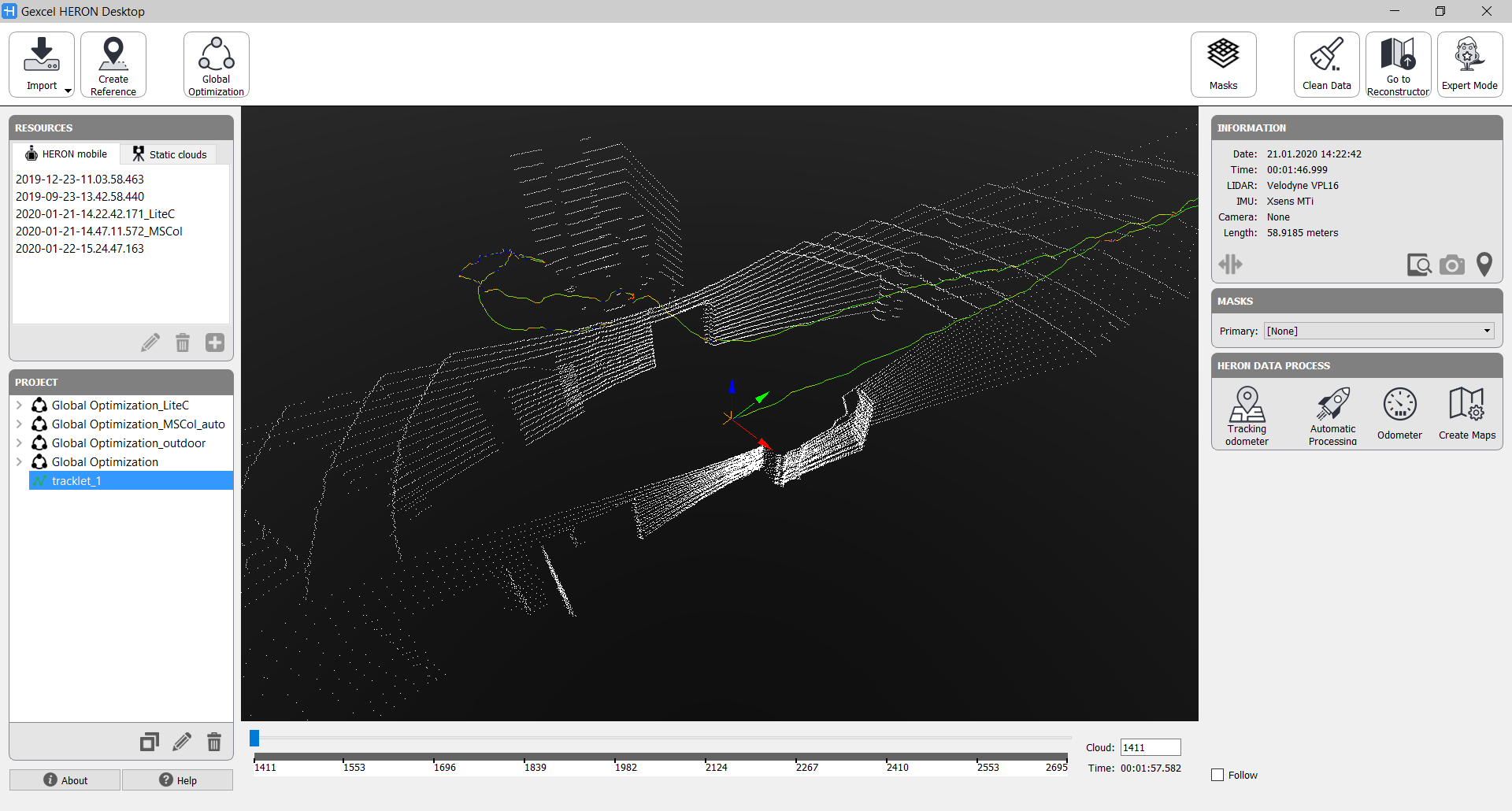
The Mapper environment is dedicated to:
- import the raw Heron® acquisitions (and external point clouds, if the Constraints add-on is available)
- process the acquisitions in order to create complete and optimized point clouds (global maps)
- export the optimized global map (including Tags and cameras) in a Reconstructor® project
- use an Heron® acquisition to create a reference maps for a change detection process (this function is available only if the Tracking add-on is licensed).
All the steps in this pipeline are sequential.
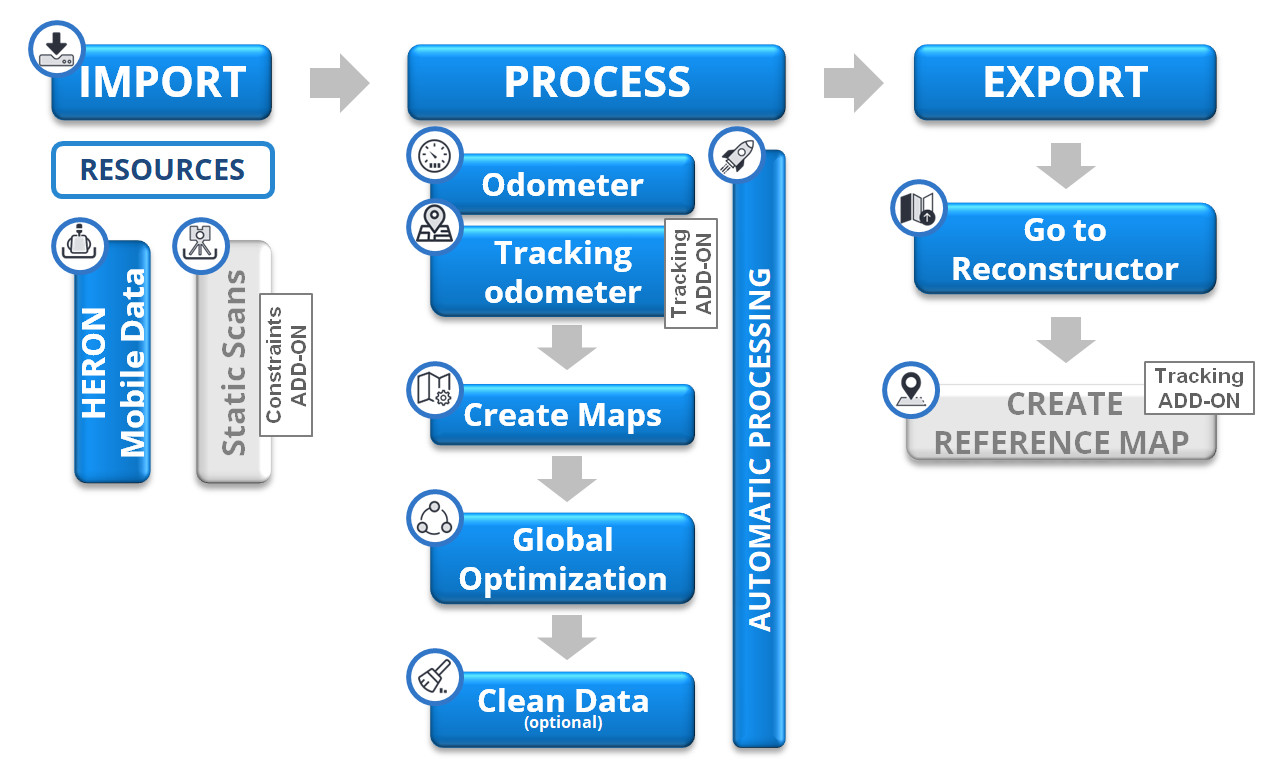
The main steps are detailed in the next paragraphs: