
Getting Started
The goal of this session is to give a broad overview of the main functions of HERON® Desktop software suite and a panoramic of workflow and usage modes.
1. Software suite components
First of all, the
|
|
appears when you click on the HERON® Desktop application |
|

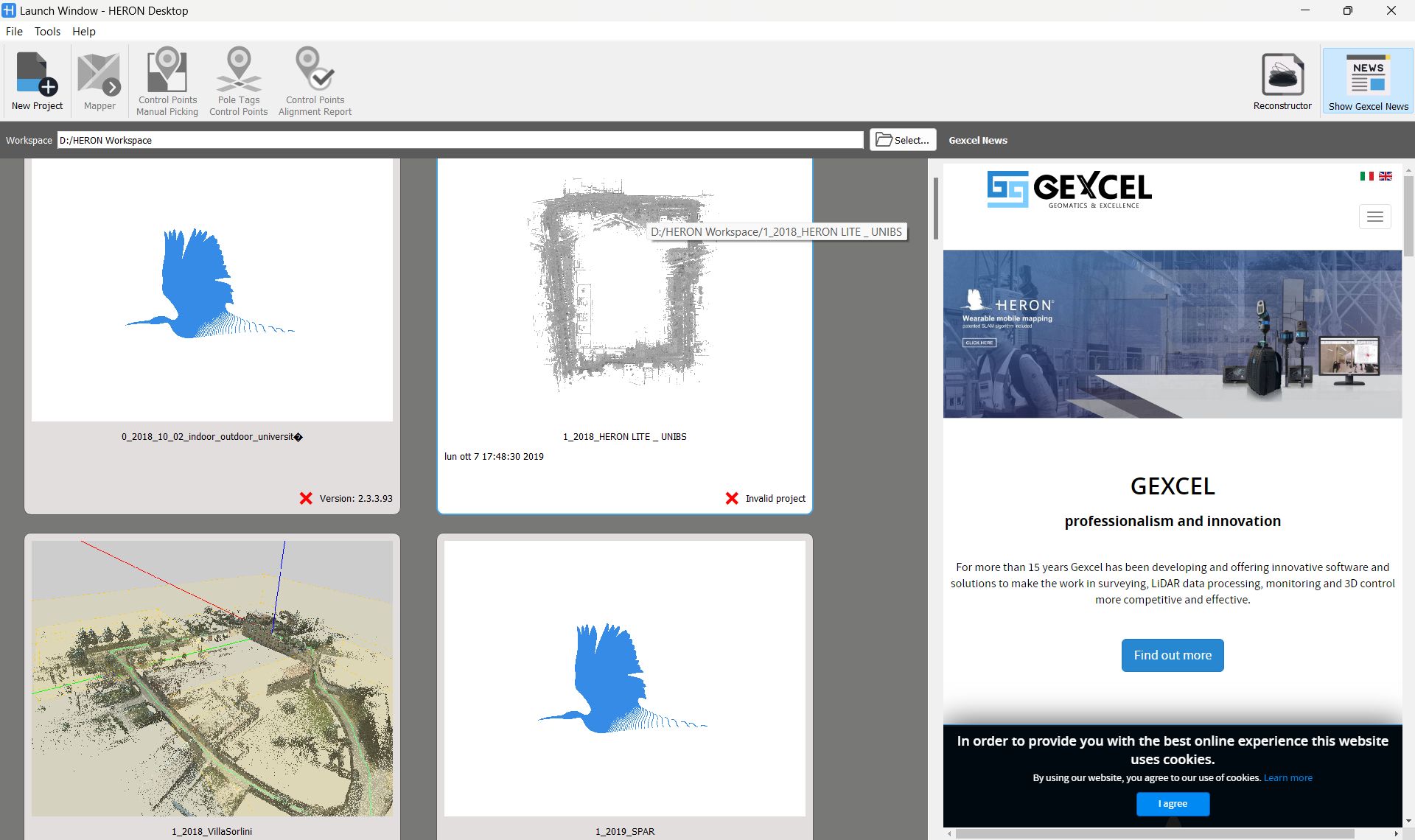
Accessible from the launch window, are two main components to process and finalize the HERON® survey acquired in the field:
|
|
that provides all the functionalities to process the HERON® data using different workflows or according to different usage modes |
|
|
that is the platform to finalize, analyze and integrate with other sensors your HERON® survey. |


The Launch window shows other tools that will be detailed in the next chapters:
|
|
Tools for handling the control points to constraint the HERON® trajectory |


|
|
and a button to access Gexcel news. |

 Have a quick look at the Navigation modalities in the software here.
2. Workflow and usages modes
The above mentioned tools can be combine in 4 different workflows which are deeply described in next chapters.
- Single Trajectory Workflow
- Multiple Trajectory Workflow
- Usage of Constraints Workflows
- Tracking and Change Detection Workflow
3. Usages modes
The Mapper environment offers 3 modes of usage.
4. Processing steps
The Mapper allow to process the data according to the following steps:
- Odometer
- (Tracking odometer - optional and only available with Tracking add-on)
- Create Maps
- Global Optimization
- Clean Data [optional]
- Go to Reconstructor